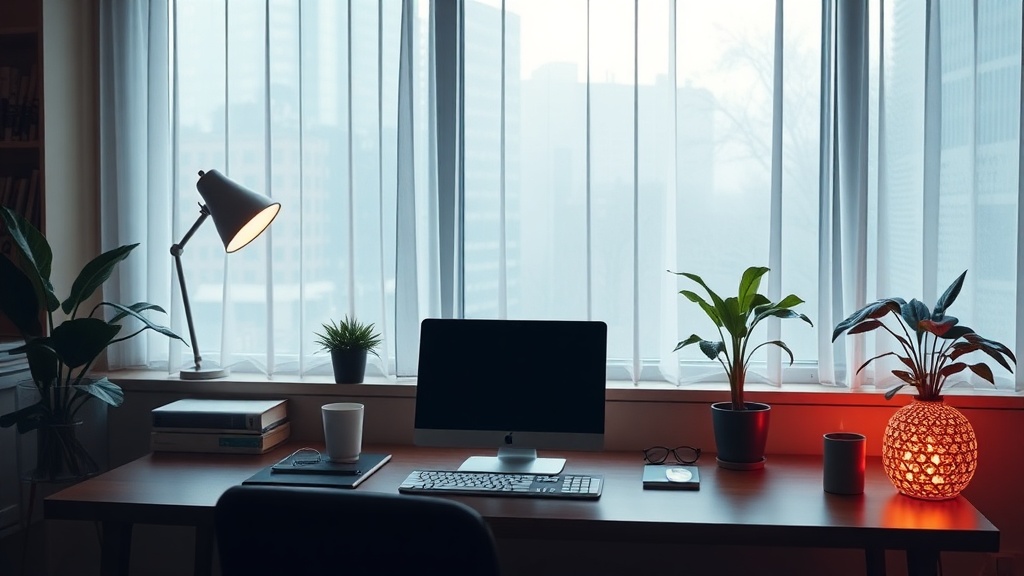
Building Your Digital Sanctuary: Designing a Calming Workspace for Remote Wellness

A single, lukewarm cup of coffee sits on a cluttered desk, surrounded by a tangled web of white charging cables and the harsh, blue glare of a dual-monitor setup. The air in the room feels stagnant, heavy with the scent of unwashed ceramic and the silent tension of a looming deadline. This is not just a workspace; it is a sensory bottleneck. For the remote professional, the environment is often a collection of leftovers—a dining table repurposed for spreadsheets or a corner of the bedroom that serves as both a command center and a place of rest. This lack of distinction creates a physiological "bleed," where the stress of the workday invades the sanctity of domestic life.
Designing a digital sanctuary requires moving beyond aesthetic "vibes" and into the realm of environmental psychology. We must treat the workspace as a functional ecosystem that regulates your nervous system. By applying principles of ergonomics, lighting science, and sensory management, you can transition from a state of perpetual high-alert to one of focused, sustainable productivity.
1. The Ergonomic Foundation: Physical Alignment as Mental Clarity
The relationship between posture and cognitive load is well-documented. When your body is in discomfort, your brain must dedicate significant metabolic resources to managing pain signals, leaving less capacity for deep work. A workspace that ignores ergonomics is a constant drain on your mental energy.
Optimizing Your Vertical Plane
The goal is to maintain a "neutral" posture. This means your eyes should be level with the top third of your screen, preventing the "tech neck" tilt that stresses the cervical spine. If you are using a laptop, an external keyboard and mouse are non-negotiable. A Roost laptop stand or a simple stack of heavy books can elevate your device to the correct height. Your elbows should rest at a 90-degree angle, and your wrists should remain straight, not bent upward, while typing. If you find yourself reaching upward, your desk is too high; if you are hunching over, it is too low.
The Science of Seating
Avoid the "kitchen chair trap." While a standard dining chair provides support, it lacks the lumbar curvature necessary for long-term spinal health. Look for a chair with adjustable tension or, if a full ergonomic task chair like a Herman Miller Aeron is out of budget, use a lumbar roll or a rolled-up towel placed at the small of your back. This maintains the natural inward curve of your spine and prevents the slouching that signals fatigue to the brain.
- Check your feet: They should be flat on the floor. If they dangle, use a footrest or a ream of printer paper to ensure your hips and knees are at 90 degrees.
- Monitor distance: Your screen should be approximately an arm's length away. Too close, and you strain the ciliary muscles in your eyes; too far, and you lean forward, breaking your posture.
2. Lighting Architecture: Regulating Your Circadian Rhythm
Light is the primary zeitgeber—the external cue that tells your brain whether to produce cortisol for alertness or melatonin for sleep. A workspace that relies solely on overhead fluorescent lighting or a single, harsh desk lamp creates a biological mismatch, often leading to mid-afternoon crashes or nighttime insomnia.
Layering Light Sources
Effective workspace design utilizes three layers of light: ambient, task, and accent. Ambient lighting should be soft and indirect. Instead of a harsh ceiling light, use a floor lamp with a fabric shade to diffuse light. Task lighting, such as a BenQ ScreenBar, provides focused illumination directly onto your workspace without creating glare on your monitor. This reduces eye strain and prevents the "tunnel vision" effect that can increase anxiety during high-stress tasks.
The Role of Color Temperature
The Kelvin scale (the measurement of light temperature) is a critical tool for the remote worker. In the morning, you want "cool" light (5000K–6500K) to suppress melatonin and boost alertness. As the afternoon progresses, you must transition to "warm" light (2700K–3000K) to signal to your nervous system that the day is winding down. This is a crucial component of syncing your biological rhythms to maintain long-term health and productivity.
"Light is not just a way to see; it is a way to feel. The wrong spectrum at the wrong time is a silent disruptor of human homeostasis."
3. Sensory Management: Controlling the Invisible Inputs
A workspace is more than what you see; it is what you hear, smell, and feel. Sensory overload is a primary driver of burnout in remote environments, where the boundaries between "work" and "home" are blurred. To build a sanctuary, you must implement controls for these invisible inputs.
Auditory Boundaries
Consistent background noise—the hum of a refrigerator, a neighbor's lawnmower, or distant traffic—can trigger a micro-stress response. To combat this, use "colored noise." While white noise is popular, many find Brown Noise (which has a lower frequency, similar to a deep rumble or distant thunder) more soothing for deep concentration. If you work in a shared space, high-quality Active Noise Cancelling (ANC) headphones, such as the Sony WH-1000XM5, act as a physical "Do Not Disturb" sign for your brain.
Olfactory and Tactile Anchors
Scent is one of the fastest ways to change a mental state. Use a specific scent—perhaps a peppermint essential oil in a diffuser—exclusively during your deep work hours. When the workday ends, switch to a different scent, like lavender or cedarwood, to signal the transition to rest. This creates a "sensory ritual" that helps the brain decouple from professional stress. Similarly, pay attention to the texture of your workspace. A linen mousepad or a wooden desk organizer provides a more grounding, tactile experience than cold, plastic surfaces.
If you find yourself becoming overwhelmed by sensory input during the day, practicing grounding techniques can help reset your nervous system before you return to your tasks.
4. Digital Hygiene: The Virtual Workspace
Your physical desk is only half of your workspace. The digital environment—the tabs, notifications, and desktop clutter—is where much of your cognitive energy is actually spent. A chaotic desktop is a source of "visual noise" that fragments attention.
The "One-Tab" Philosophy
A cluttered browser is a cluttered mind. Practice the "one-tab" rule: only keep the tabs open that are strictly necessary for your current task. Use tools like OneTab or Forest to manage browser clutter and limit distractions. When you finish a project, close every single window. This creates a "clean slate" for your next session, preventing the mental drag of carrying unfinished business from one hour to the next.
Notification Architecture
Notifications are designed to hijack your dopamine system. To reclaim your focus, move from a "reactive" to an "intentional" notification style. Turn off all non-human notifications (news alerts, social media updates, app suggestions). Set specific windows for checking email or Slack—for example, 10:00 AM, 1:00 PM, and 4:00 PM. This prevents the "interruption-recovery cycle," where it takes an average of 23 minutes to regain deep focus after a single distraction.
5. The Ritual of the "Shutdown Sequence"
The most critical part of a remote workspace is how you leave it. Without a physical commute to act as a buffer, you must create a psychological one. A "Shutdown Sequence" is a deliberate set of actions that signals to your brain that the work-mode is over.
- The Physical Reset: Clear your desk of all coffee mugs, stray papers, and loose cables. A clear surface in the morning reduces the "friction of starting."
- The Digital Close: Close all applications, shut down your computer (rather than just putting it to sleep), and clear your desktop icons.
- The Sensory Shift: Change your lighting from "task" to "ambient," change your scent, and perhaps change your clothing. This physical transition is vital for preventing the "work-bleed" that leads to chronic burnout.
Building a digital sanctuary is not an act of luxury; it is an act of biological maintenance. By treating your workspace as a calibrated tool rather than a random collection of furniture, you ensure that your environment supports your flourishing rather than depleting it.
Steps
- 1
Curate Your Visual Field
- 2
Optimize Your Lighting Layers
- 3
Integrate Natural Elements
- 4
Manage Digital Clutter